











The PMBet app gives bettors in Tanzania a convenient way to place wagers, play casino games, and manage an account from a phone. Instead of opening a browser each time, you can keep the service available from the device home screen. A mobile interface also makes it easier to check a bet slip, review account activity, or respond to changing odds while travelling.
This guide covers downloading the APK for Android, using the service on an iPhone, checking for updates, and dealing with installation or login problems. Read the relevant section before installing so that you can check the file source, device compatibility, and available storage first.
What the PMBet App Offers
The mobile application is designed to bring the main platform tools together in a smaller interface. You can browse sports markets, prepare a bet slip, follow live events, access casino games, and review your account without switching between several browser tabs. Menus and buttons are arranged for touch controls, although the exact layout can change after an update.
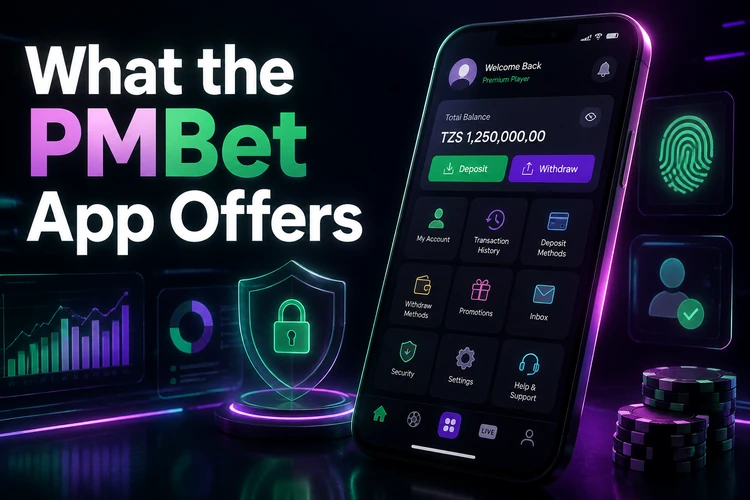
Use a stable connection when placing live bets or submitting a payment. Check the bet slip carefully before confirming, particularly the odds, stake, and selected market. Account settings, transaction history, notifications, and responsible-gambling controls should be reviewed regularly rather than treated as background features.
How to Download PMBet
Start from the official website on your phone rather than a file-sharing page or an unverified APK catalogue. The homepage is the appropriate starting point for checking the current download instructions. Before tapping the download control, confirm that the address is correct and that the page is loading normally over a secure connection.
Check the phone first. It should have enough free storage for the installation package and the app's working files, a supported Android release, and a reliable Wi-Fi or mobile-data connection. Avoid interrupting the download, because an incomplete file can produce a parsing or package error later.
Downloading and Installing the Android APK
Android may block an APK until permission is granted for the browser or file manager that opened it. The wording differs between manufacturers and Android versions, so change the permission only for the application you trust and turn it off again after installation if you do not need it.
- Step 1: Open the official PMBet website in the phone's browser.
- Step 2: Use the download control and wait until the APK finishes downloading.
- Step 3: Open Settings and find the option for installing unknown apps, usually under Security, Privacy, or Apps.
- Step 4: Allow the browser or file manager to install the downloaded file.
- Step 5: Open the Downloads folder, select the APK, and follow the installation prompts.
- Step 6: Launch the app and log in with your existing account details.
Do not rename the file, open several copies at once, or install a second APK from an unrelated source. If Android displays a warning, stop and verify where the file came from before proceeding. After the first launch, review notification and permission settings and use a strong, private password for the account.
Installing on iPhone
A native iOS app is not available in the draft information for this page. iPhone users can instead use the mobile-optimised website in Safari. Open the official site, sign in, then use Safari's share menu and choose the option to add the page to the home screen. The resulting icon provides quick access without requiring an App Store installation.
The browser version can handle the core account, betting, casino, deposit, and withdrawal functions available through the website. It does not provide the same installation process as Android, and browser notifications or other features may depend on iOS settings. Keep Safari updated and use a private connection when signing in or managing payments.
Keeping the App Updated
Updates can address bugs, improve compatibility, or change how particular screens work. Because an APK is not necessarily updated through an app store, check the official download page when the app displays an update notice or begins behaving unusually. Compare the release information before replacing the installed version.
Before updating, confirm that the account is accessible and that the phone has sufficient storage. Installing a newer package over the existing installation normally preserves the account held on the platform, but an important transaction record should not be treated as stored only on the device. If an update fails, keep the current APK until the account has been checked through the website.
Core Features in the Mobile App
Sports sections may include football, basketball, tennis, and other markets, with availability and event coverage changing over time. Live betting requires extra care because odds and market status can change while an event is in progress. Read the market rules and confirm the selection on the bet slip before submitting a stake.

Casino areas can include slots, table games, and live-dealer content where offered. Payment methods and processing times depend on the account and the selected option, so read the displayed instructions before confirming a deposit or withdrawal. Keep receipts or transaction references until the balance has updated. The profile area can also provide bet history, account details, and notification controls.
Fixing Common Installation Problems
If the APK will not install, check the permission for the browser or file manager, free some storage, and make sure the download completed. A parsing error often indicates a damaged or incomplete file; delete it and download a fresh copy from the official page. Do not try to solve the problem by collecting APKs from random sources.
Compatibility can also be the cause. Check the Android version under Settings and About Phone, then compare it with the requirements shown on the download page. If the device is too old, system updates may help; otherwise, use the mobile website where possible. Restart the phone before trying another installation.
For crashes after launch, close other applications, reboot, and clear the app cache if that option is available. Reinstall only after confirming that you can recover the account. If login still fails, check the password, keyboard language, and network connection. The contact page can help when account recovery or a persistent technical issue needs support.
FAQ
Use the official PMBet website and follow its current download instructions. Avoid third-party file-sharing pages, where the file may be outdated or modified.
Download the file only from the official website, check the source before opening it, and keep your phone's security software active. Do not grant installation permission to unknown websites or unrelated apps.
A native iOS app is not available in the information for this page. You can use the mobile website in Safari and add it to the iPhone home screen for faster access.
Check the official download page when an update is suggested, ensure there is enough storage, and install the new APK over the existing version. Confirm that you can access the account before making changes.
No. The mobile application uses the existing platform account. Sign in with the same credentials and check the balance and history after the first login.
Check the installation permission for the browser or file manager, available storage, Android compatibility, and the completeness of the download. If the error remains, remove the file and obtain a fresh copy from the official website.